


All Video Downloader
4.711.51K Reviews
App Specs
- Version
- 1.6.4
- Updated On
- License
- Free
- Downloads
- 100,000,000+
- Developer
- InShot Inc.
- Categories
- Video Players & Editors
- Platform
- Android, iOS
Screenshots
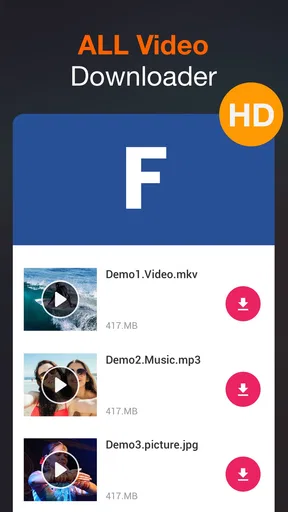
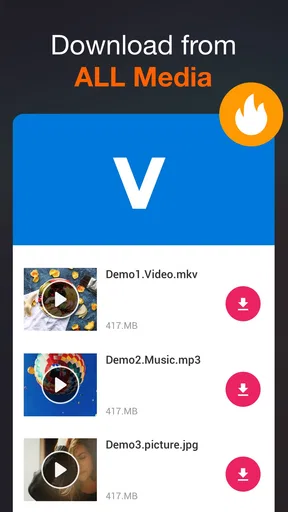
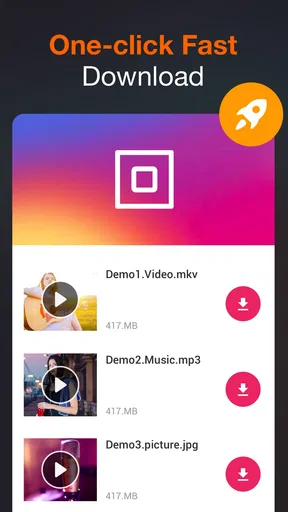
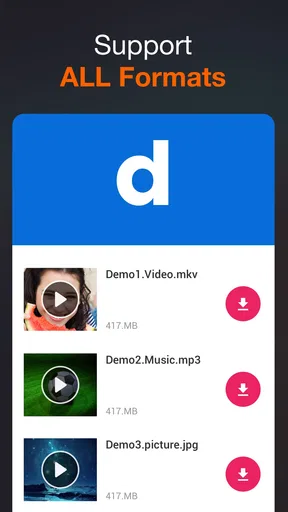
 Analysis by AppCompare
When I want to keep a video available for a commute, a patchy connection, or a quieter moment later, I care less about a long feature list than about a simple routine: find the right clip, check what the app can save, and make sure I can locate it afterward. That is the practical appeal of All Video Downloader. It is a free Android video downloader from InShot Inc., in the video-player and editing category, built around saving videos for offline viewing. Its broad promise is useful, but it is not a guarantee that every website or clip will be downloadable; the source and its restrictions still matter.
A sensible first test is to use a video you are allowed to save, rather than building a queue from several unfamiliar sites. Open the app’s browser or paste a video address into the search field, navigate to the clip, and see whether a download option appears. This small trial tells you more than assuming that a downloader will behave the same way across the web. If a page is mainly a feed, an embedded player, or a service that restricts saving, the app may not offer a usable file. I would treat that as a source limitation, not keep tapping at the same page expecting a different result.
Getting Started with All Video Downloader
First things first, downloading and setting up All Video Downloader is a breeze. You'll find it on both Android and iOS, so no one’s missing out. Once you’ve got it on your device, the interface is pretty straightforward. You’re greeted with a clean and user-friendly layout that doesn't require a PhD to navigate.
The home screen gives you a search bar where you can paste the URL of the video you want to download. There’s also a built-in browser, which I found super handy. It allows you to surf through various sites directly within the app, making it easier to find and download content without switching back and forth between apps.
For an everyday example, imagine spotting a tutorial while you are waiting for a bus and wanting to watch it later without relying on a stable connection. I would open the page in the built-in browser, check that the video is actually available to save, and choose a size that suits the time I expect to be offline. Then I would open the saved file before leaving, rather than discovering at the stop that I saved the wrong clip or cannot find it. That final check is a small habit, but it makes offline viewing much less frustrating.
Downloading Videos: As Easy As Pie
Using the app couldn’t be simpler. Once you’ve found your video, you just hit the download button, and voila! You’re given a choice of formats and resolutions to pick from. Whether you want high-definition or something smaller to save space, the options are there. I tried downloading a couple of videos from different platforms, and the app handled them effortlessly.
Resolution is worth choosing with a purpose. A larger version can look better on a bigger screen, but it also takes up more room than a low-resolution copy that is perfectly adequate for a quick phone watch. When I am saving several clips for a short trip, I would choose a smaller option for casual viewing and reserve higher quality for a video where small details matter, such as a craft demonstration. If the app presents multiple choices, checking the file size before committing can help avoid filling storage with versions that are more detailed than you need.
Worth Reading Before You Choose

Switching to Android Auto Means Rethinking Your Driving Routine

Google Calendar Makes a Crowded Week Easier to Manage

Baby Panda World Brings Quick Play to Modern Phones, but Its Game Library Feels Busy

ESPN’s Live Game View Makes Following Close Games Easier

QuizzLand Review: A Good Fit for Short Trivia Breaks, Not Every Player

Basketball Stars: Multiplayer Is Fast, but Can It Recover When Matches Go Wrong?
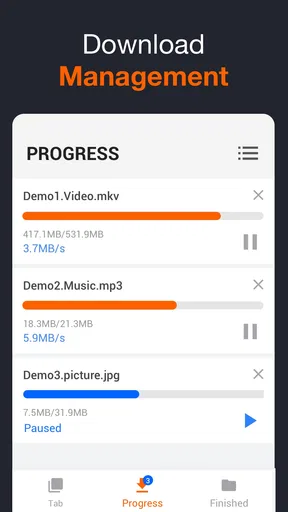
One thing I absolutely love is the batch download feature. If you’re like me and often find yourself with a list of videos you want to save, this is a lifesaver. You can line them all up, and the app will take care of the rest while you go about your day.
Batching works best when I first decide what I genuinely want to keep. A short list of selected clips is easier to manage than adding every interesting video and sorting it out later. I would also check that each queued item is the intended version, especially when a page offers more than one resolution. This is a practical trade-off: a queue saves repeated setup, but it does not remove the need to choose the right source or keep an eye on available device storage.
Features You’ll Appreciate
Beyond the basic downloading, All Video Downloader offers some neat extras. There’s a built-in video player, so you can watch your saved videos directly in the app without needing any third-party players. It supports a wide range of formats, which is a huge plus.
Having playback in the same app makes a tidy workflow possible: save a clip, open it there to check that it plays, and then decide whether it is worth keeping. That quick playback check is more useful than it sounds when you have several similar files or have queued downloads in a hurry. If a file is important, I would not delete the original source or assume the in-app copy is backed up; an offline download is convenient, but it should not be confused with a permanent archive.
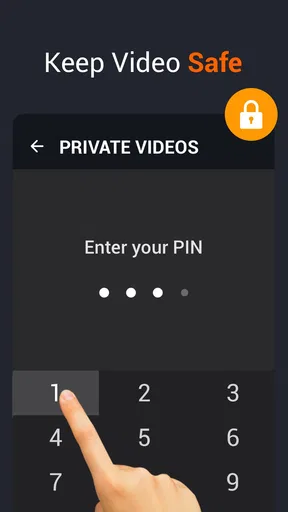
Security is another highlight. The app ensures your downloads are safe, with no risk of malware sneaking in. Plus, it respects user privacy, which is always a concern in today’s digital age.
I would still use ordinary care with downloaded files: stick to sources you trust, avoid suspicious prompts, and remember that a downloader cannot make an untrustworthy website safe. The same goes for permission and privacy decisions on a phone: I prefer to grant only what is needed for the task and to review the app’s current settings rather than relying on broad claims. This does not make downloading difficult; it simply keeps a useful convenience in proportion to the risks of the pages you visit.
Another cool feature is the ability to convert videos into MP3s. If you’re looking to save just the audio, maybe a podcast or a music video, this feature is incredibly useful. Just a few taps, and you’ve got an audio file ready for your playlist.
Audio conversion is most worthwhile when the sound is what you need and the source allows it. For a spoken lesson or an interview, an audio-only file can be easier to listen to while doing something else and can avoid keeping a video you will never watch. For material where images carry the explanation, such as a repair walkthrough, converting to audio would defeat the point. I would also check the result before removing the video, since an audio file is useful only if the speech or music came through as expected.
Performance and Usability
In terms of performance, the app runs smoothly without any noticeable lag or crashes, at least during my testing. The downloads were quick, and even larger files didn’t seem to take too long. The app’s design is intuitive, which means even if you’re not tech-savvy, you won’t have trouble getting the hang of it.
For a repeatable routine, I would separate the decisions instead of rushing through them: find the clip, confirm the download option, pick a sensible quality, and check playback once it finishes. This approach is especially helpful when saving several videos for a flight or a day out, because it catches an unsuitable resolution or a failed item before you depend on it. It also makes the app’s strengths clearer: it is handy for collecting individual playable files, not a replacement for a well-organized media library or a creator’s editing toolkit.
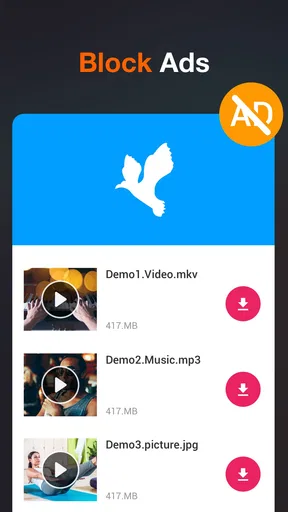
I’ve been using it for a while now, and I haven’t experienced any annoying ads popping up, which is a huge relief. There’s nothing worse than being interrupted by ads when you’re trying to get things done.
The app is free to install, and its Everyone age rating makes it broadly approachable. It has a 4.7 average from around 1.1 million ratings, with over 100 million installs, so many people have tried it; those figures are context, not a promise that every download source will work for every person. The current version is 1.6.3 and requires Android 6.0 or later. In-app purchases range from $7.99 to $19.99 per item, so I would check the purchase screen carefully if an extra is offered and decide whether it adds something I will actually use before paying.
It is also worth being realistic about what “download” means. The app can help save accessible videos, but it does not turn a streaming service’s restricted catalog into a personal collection, nor does it replace a service’s own offline-viewing feature where that is available. I would use an official save or download option first when the content comes from a subscription platform. For a permitted public clip that I want as a separate file, this app is the more relevant tool; for organizing a large library across devices, a dedicated media manager is likely a better fit.
Who Benefits Most—and Where I’d Look Elsewhere
I can see this being a good fit for someone who occasionally wants a few accessible videos offline, prefers a browser-and-download flow in one place, and appreciates being able to play saved files inside the app. The format and resolution choices help when storage is tight, while audio conversion can suit spoken material. It is less suitable for anyone expecting a universal downloader that works on every social platform, or someone who needs professional editing, cloud syncing, or a polished long-term archive. Those are different jobs, and a video editor, a platform’s own offline feature, or a file manager may serve them better.
Compared with the usual alternatives, the built-in browser makes this more direct than copying a link between a social app and a separate downloader, provided the page is compatible. A platform’s own download control is often the safer and more dependable choice for restricted or subscription content, though it may keep playback inside that platform rather than provide a standalone file. A general file manager is better for sorting and moving files already on the phone, but it will not necessarily help locate a downloadable video. I would choose based on the task instead of expecting one app to cover all three.
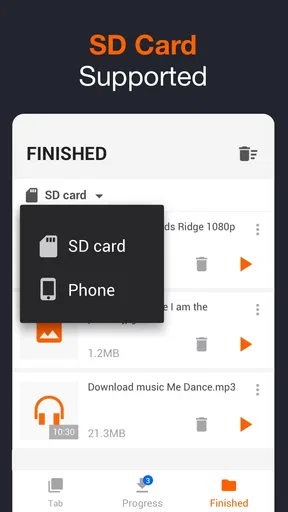
A useful advanced habit is to give downloads a quick review while they are still fresh: play the file, make sure the right clip and quality were saved, then remove any duplicate or unwanted copy. That is a low-effort way to prevent a crowded downloads folder from becoming a guessing game. For a small collection, the app’s player may be enough; for a growing set, I would move useful files into a folder structure that makes sense on the device, if the phone’s file tools allow it. The key trade-off is convenience now versus finding things later.
Wrapping It Up
If you’re in the market for a reliable video downloader, All Video Downloader is definitely worth checking out. It’s packed with features that make downloading videos a breeze, and it performs well without any major hiccups.
Whether you want to build a library of videos to watch offline or just need a tool to save media for later, this app has got you covered. It’s versatile, easy to use, and secure. So, if you’re tired of buffering and just want to enjoy content at your own pace, give it a try. Trust me, you won’t regret it!
My recommendation comes with one clear condition: treat it as a practical helper for videos you are allowed to save, not as a workaround for every site’s rules or a substitute for every kind of media app. If your needs are occasional downloads, quick playback, and a simple way to keep selected clips available, its straightforward workflow makes sense. If you depend on a particular platform’s protected content or want advanced editing and library management, the official platform tools or a specialist app are the better choice.
Pros
- Supports multiple video formats.
- Fast download speeds.
- User-friendly interface.
- Batch download feature.
- Supports background downloading.
Cons
- Contains ads.
- Limited editing features.
- No built-in media player.
- Requires internet connection.
- Some features are premium.
FAQs for All Video Downloader
What is All Video Downloader and how does it work?
All Video Downloader is an application designed to help users download videos from various online platforms. With a user-friendly interface, you can easily copy and paste video URLs into the app, select your desired format and quality, and start downloading. It supports multiple video sites, allowing for seamless media saving directly onto your device.
Is All Video Downloader available on both Android and iOS?
Yes, All Video Downloader is available for both Android and iOS devices. You can download it from the Google Play Store for Android and the App Store for iOS. However, due to platform restrictions, some features might vary slightly between the two versions.
Are there any limitations on the types of videos I can download?
While All Video Downloader supports a wide range of formats and platforms, certain restrictions may apply. Some websites may have DRM-protected content that cannot be downloaded. Additionally, users must respect copyright laws and terms of service of the platforms from which they are downloading.
Is All Video Downloader free to use, or does it have in-app purchases?
All Video Downloader offers a free version with essential features. However, to unlock advanced functionalities such as higher download speeds, ad-free experience, and more format options, users can opt for in-app purchases or a premium subscription. Pricing details can be found within the app itself.
How safe is it to use All Video Downloader?
All Video Downloader is generally safe to use, provided it's downloaded from official app stores. It requires certain permissions to function, such as access to your device storage, but it doesn’t collect personal data. Always ensure your downloaded videos are from reputable sources to avoid potential security risks.


